
PlateIQ Explained: How to Use RotoGrinders' MLB Research Tool

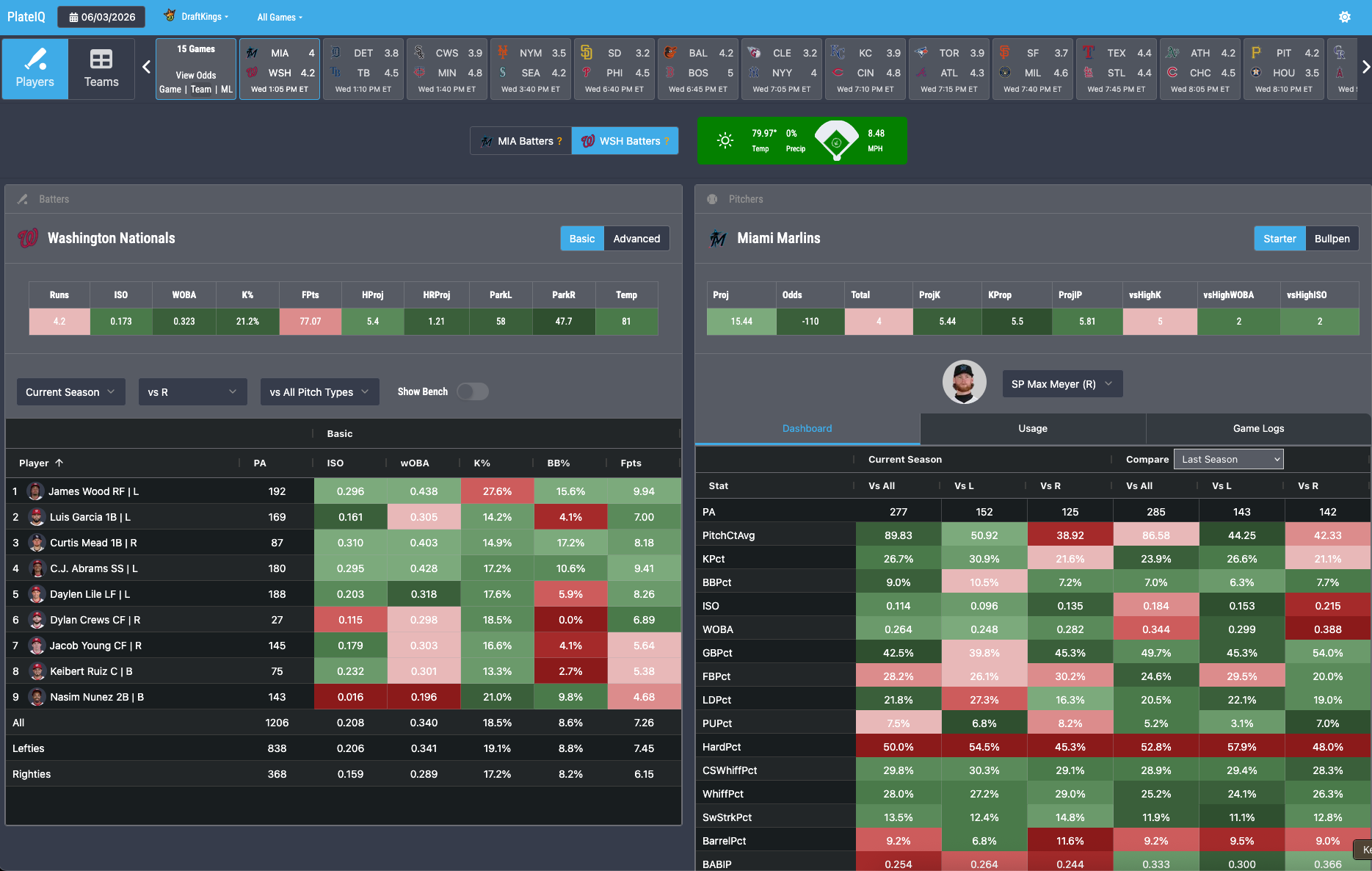
PlateIQ has long been one of RotoGrinders’ most robust (and popular) tools. Having that vast array of data available on one simple screen makes research a much more efficient process, whether you are building DFS lineups or looking to place some bets. Haven’t taken PlateIQ for a spin yet and want to know what it’s all about? We’ve got you covered below.
But first, you should probably know how you can get access to this revolutionary tool. If you are an avid DFS player, then the best bang for your buck is going to be signing up for our Combo Pro subscription. This package includes content, tools, and projections for other sports too, such as NFL, NBA, NHL, PGA, CFB, MMA, SOC, and Tennis. And for a limited time, we’re knocking $55 off the first month. So if you were already going to buy the MLB monthly package for $74.99, you might as well just get Combo Pro for even cheaper!

If DFS isn’t exactly your bag and you are more of just a sports bettor, don’t sweat it…you can sign up for our SimLabs+ package for just $39.99. That will get you access to PlateIQ at a much more affordable price point, and you can still test out plenty of our other tools and content as well.
What is PlateIQ?
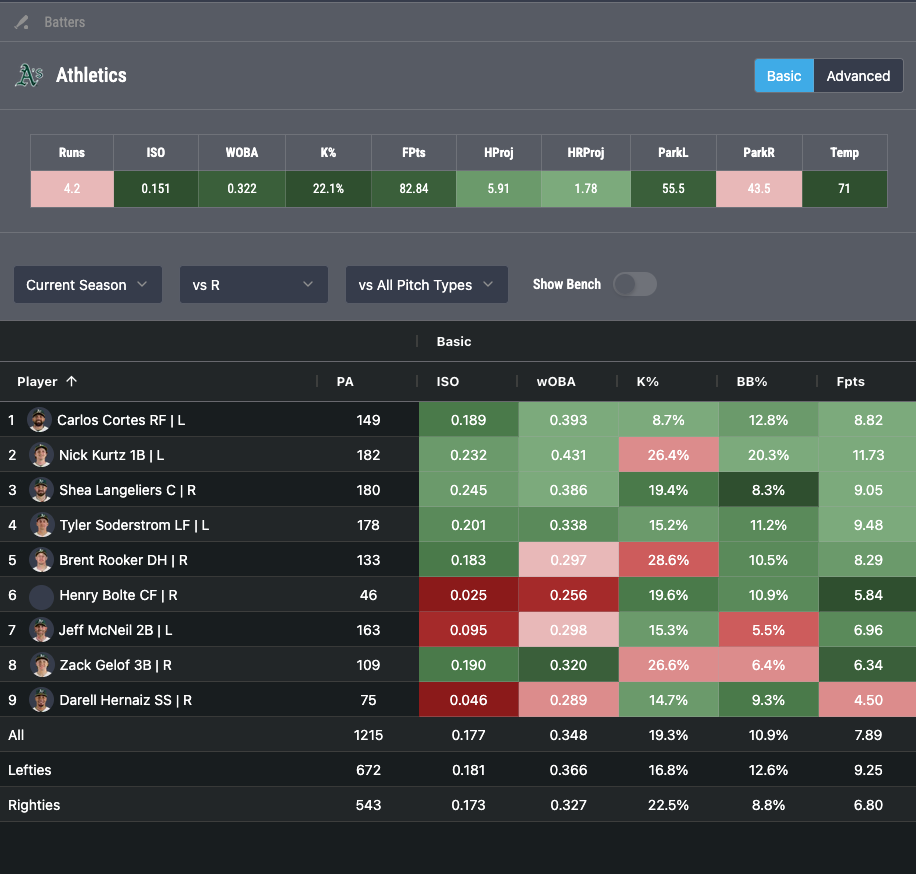
For those of you who are new to PlateIQ, it is a matchup tool that can be used for MLB DFS, online sports betting, and fantasy pick’em selections, amongst many other things. It is designed with color-coded context to easily view batter vs. pitcher matchups for that day’s slate of games. The tool includes key stats, advanced stats, context stats, and split stats to help the user understand exactly who is in the lineup and how their stats compare side by side. And what’s more, these stats can be viewed at the player or team level.
What are the Key Benefits of PlateIQ?
- Organization: It is a one-stop shop that has all of the data that is necessary to make baseball predictions, laid out in an easy-to-use format.
- Simplicity: It weeds out the endless sea of baseball stats to get you just the core of what is needed.
- Speed: It eliminates the need to manually create spreadsheets, switch to and from multiple sites/tabs, etc. You can spend more time building DFS lineups and placing wagers instead of wasting precious hours compiling all of the research.
How Can I Use PlateIQ?
- Isolate Pitchers to Target (e.g. wagering on a batter facing them to hit a home run)
- Isolate Stacks to Target (e.g. using both pitcher and hitter data to build stacks for your DFS lineups)
- Isolate Individual Players to Target (e.g. identifying lower-in-the-order bats with power to use as one-offs at low ownership in your DFS lineups)
Pitch Type Data
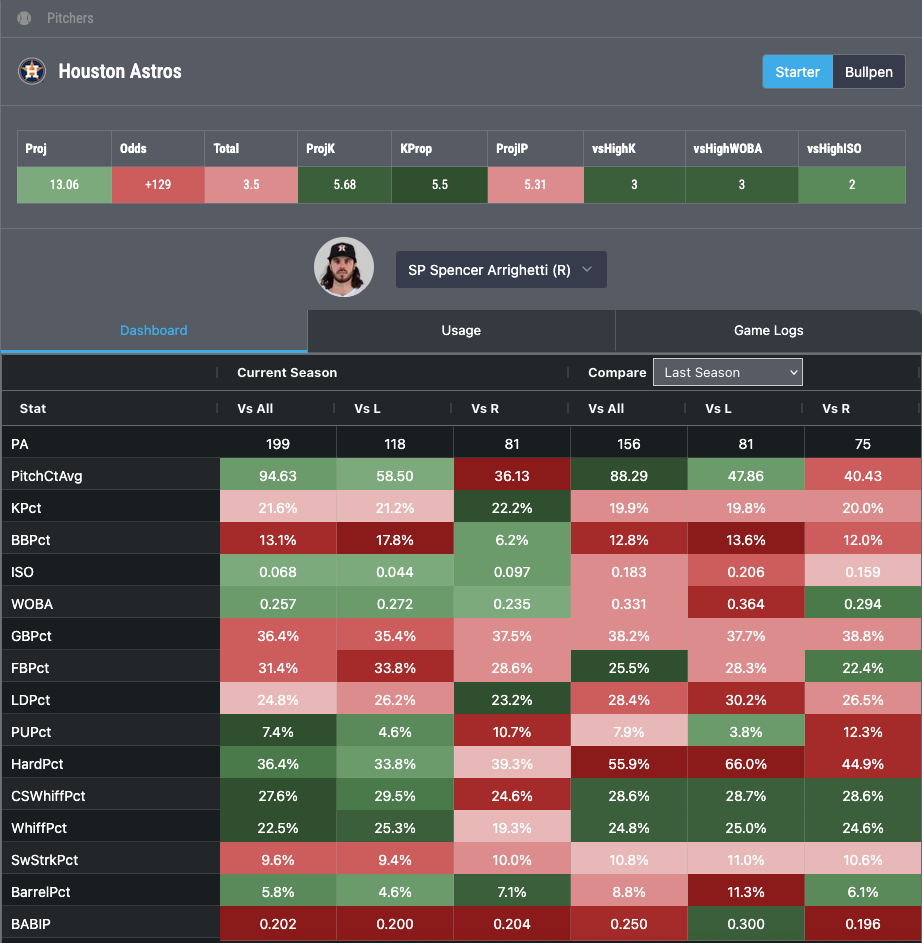
Looking for a player to bet on for Dinger Tuesday? Use PlateIQ’s Pitch Type data.
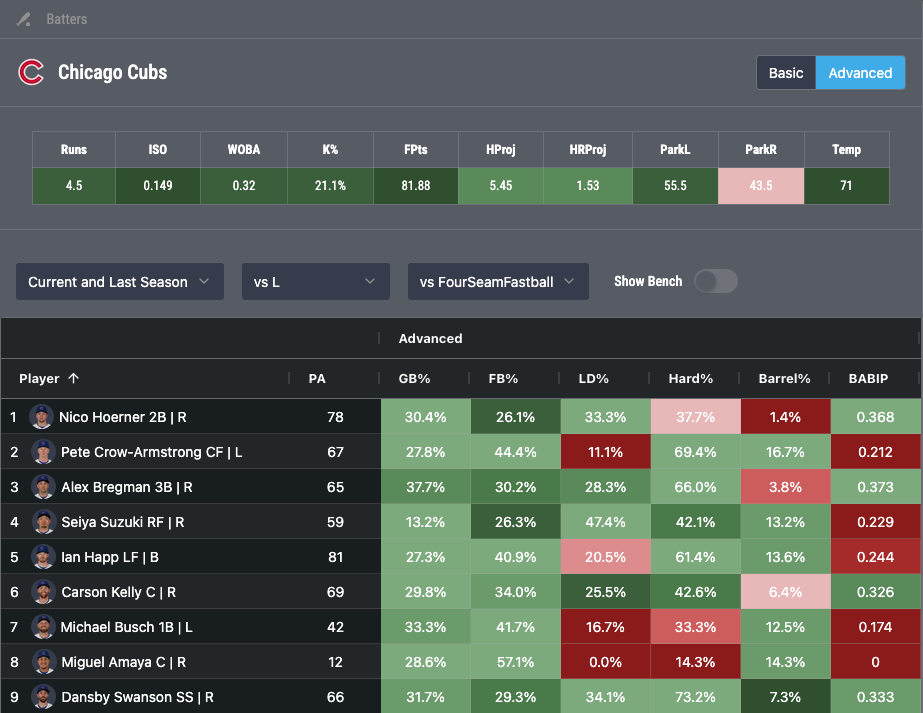
In the example below, you see that Jeffrey Springs has used his four-seam fastball quite a bit more frequently than his other pitches in the rolling 120-day sample.
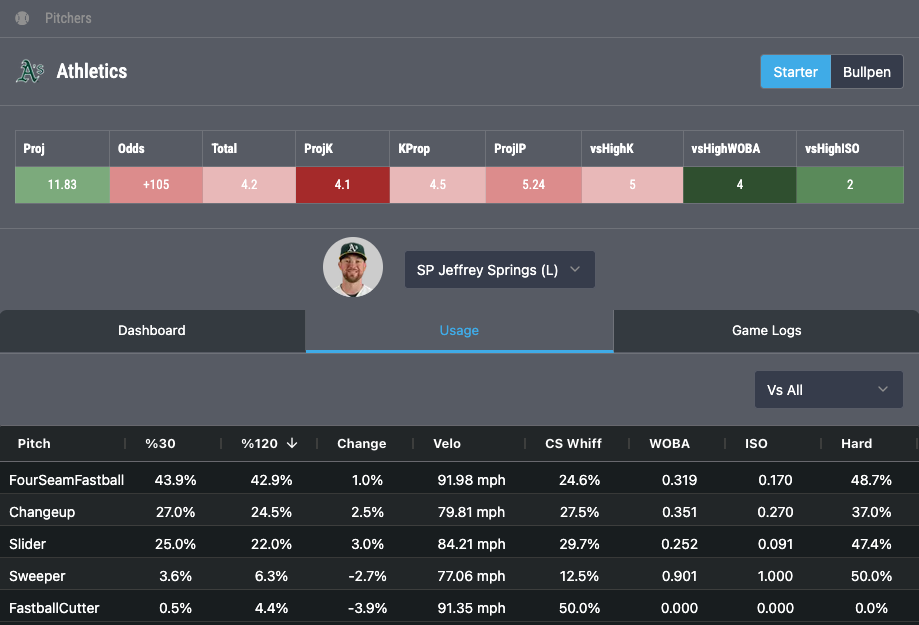
If we select that pitch in the respective drop-down menu for the Cubs, we can then see how all of the players in the lineup have historically hit that specific pitch. It might surprise you to see that, despite being a left-handed hitter, Pete Crow-Armstrong has a 16.7% barrel rate since the start of last season against four-seam fastballs from left-handed pitchers. I’m guessing the sportsbooks are offering much longer odds for PCA in a lefty/lefty matchup than if he was facing a righty! And while 67 plate appearances is obviously a relatively small sample size, you can play around with all sorts of different time frames, pitch types, splits, etc. to suit what you are looking for, which is just another feature that makes PlateIQ so great.
Game Logs
Are you considering taking a strikeouts prop on Paul Skenes and want to know what some of his key underlying metrics look like in recent starts? There’s no need to leave the page. Just click the Game Logs tab to see stats such as pitch count, velocity, CSW%, strikeouts, and more.
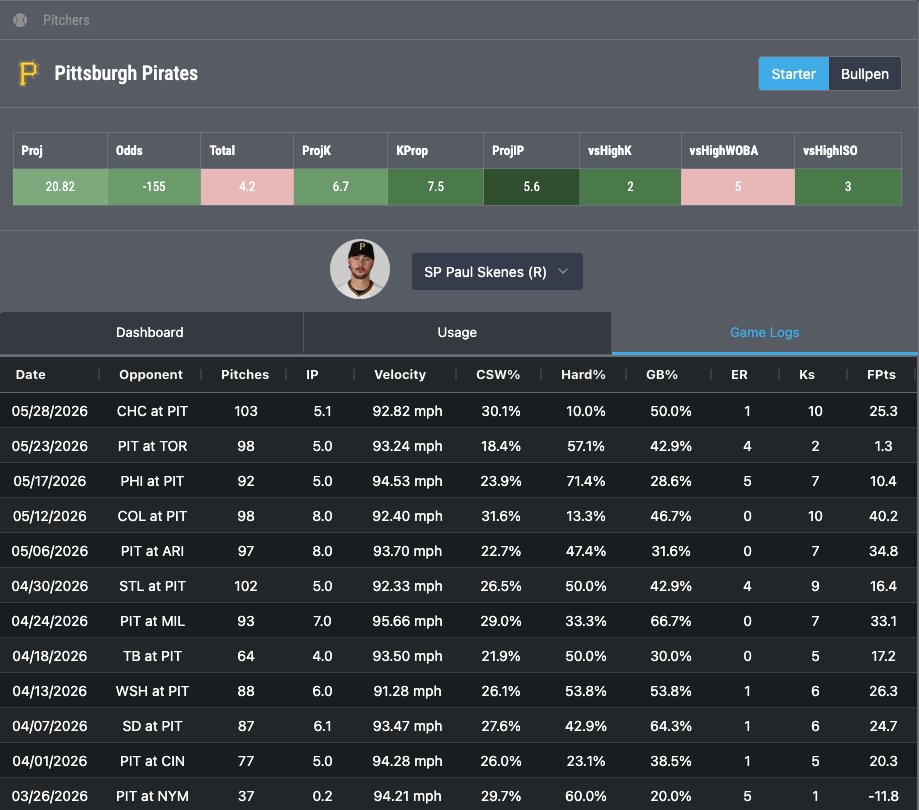
Image Credit: Imagn